Inventory Pro — Rich Hero
INVENTORY & POS SOFTWARE

Simplify Your Business
with Powerful
Inventory & POS Software

An all-in-one business management platform designed for small, medium-sized and enterprise businesses.

Real-time
Inventory
Fast & Secure
Transactions
Powerful
Reporting
Access
Anywhere
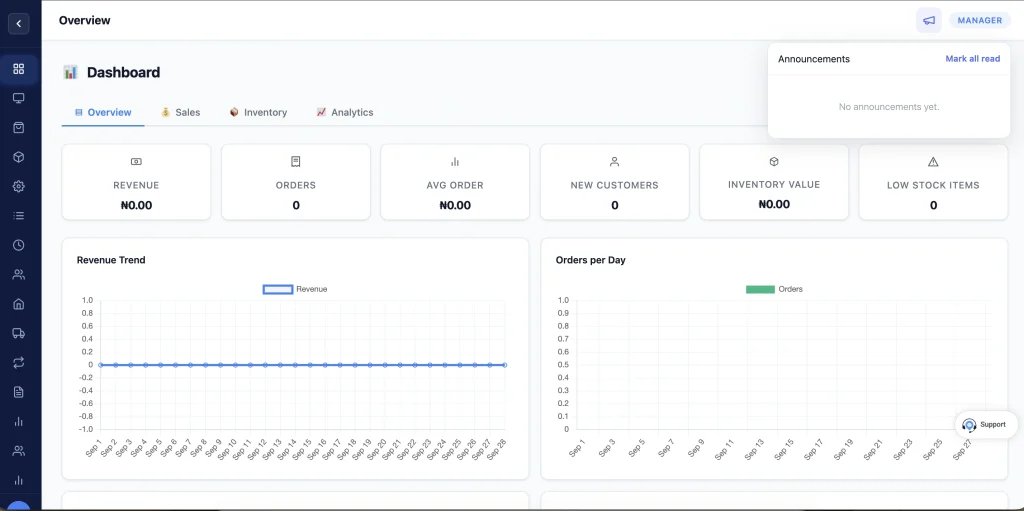
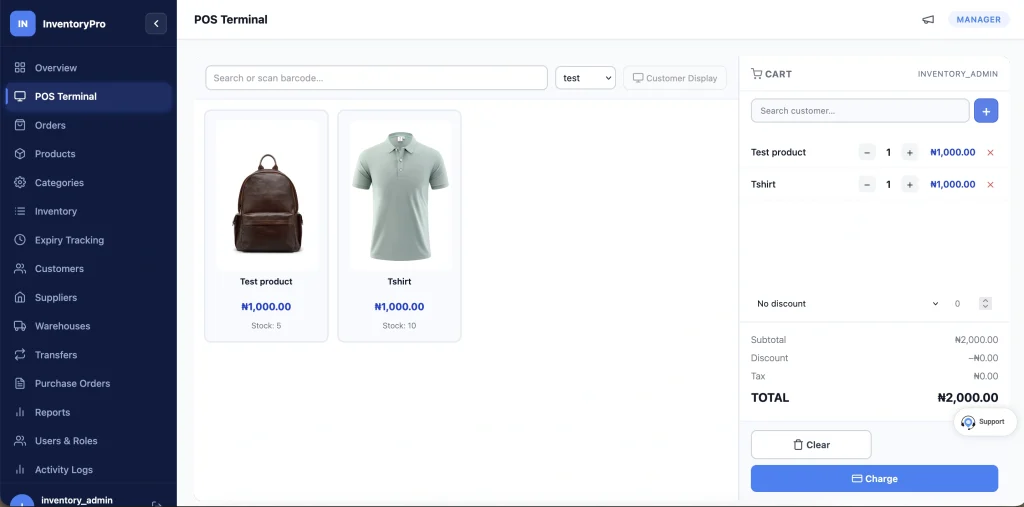
InventoryPro inventory and point-of-sale dashboard with a retail checkout and low-stock alert
Grow Your SalesSmarter tools. Better results.
Secure & ReliableYour data, always safe.
Cloud BasedAccess from anywhere.
Trusted by businesses worldwide
Dedicated customer support
Cloud based — access anywhere

Features

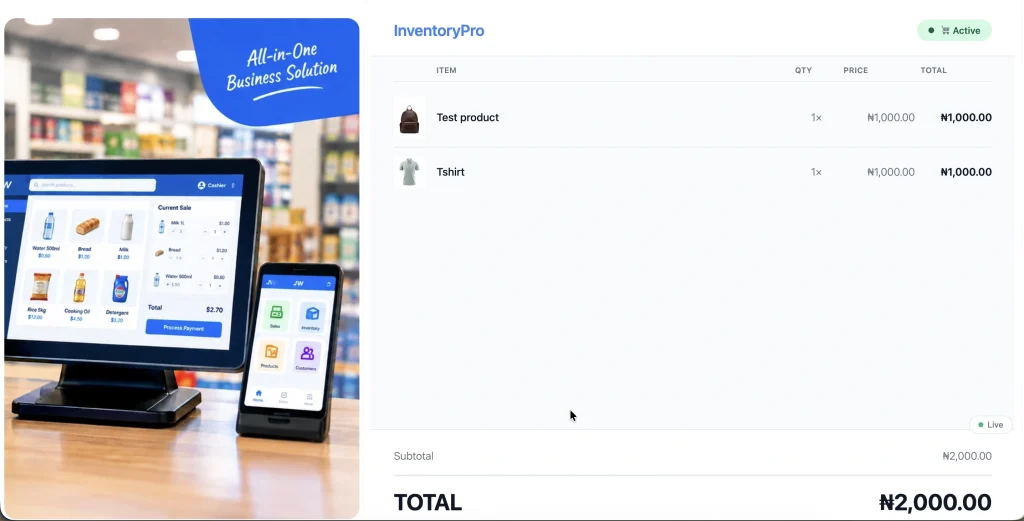
Realtime Customer View

Customer dedicated checkout, payments,
discounts, order success view

Point of Sale

Barcode scanner, fast checkout,
payments, discounts, returns and receipts printing

Inventory Management

Products, stock levels,
adjustments, transfers and valuation

Multi-Branch Management

Manage branches, stock,
sales and staff from one platform

Customers & Credit

Customer profiles, purchase
history, credit and payments

Pharmacy Management

Prescriptions, batches,
expiry tracking and pharmacy reports

Suppliers & Purchases

Suppliers, purchases,
payments and supplier balances

Reports & Analytics

Business insights, trends,
performance and exports

Sales Management

Track sales, transactions,
returns and sales history

Profit & Loss

Revenue, COGS, expenses
and profitability

Staff & Permissions

Roles, branch assignment
and controlled access

Activity Audit

See every activity log of authorized users in real-time

Barcode & Printer

Support wide range of barcode scanners and receipt printers

Data Export & Import

Easily export or import your data securely

Easy change calculator

Enter the amount tendered and get auto change calculation

Pharmacy
Mode

Complete Pharmacy Management, Built Into Your POS

Run your pharmacy with specialized tools designed to manage medicines, prescriptions, controlled drugs, inventory, sales, staff, and compliance-related records from one integrated platform.

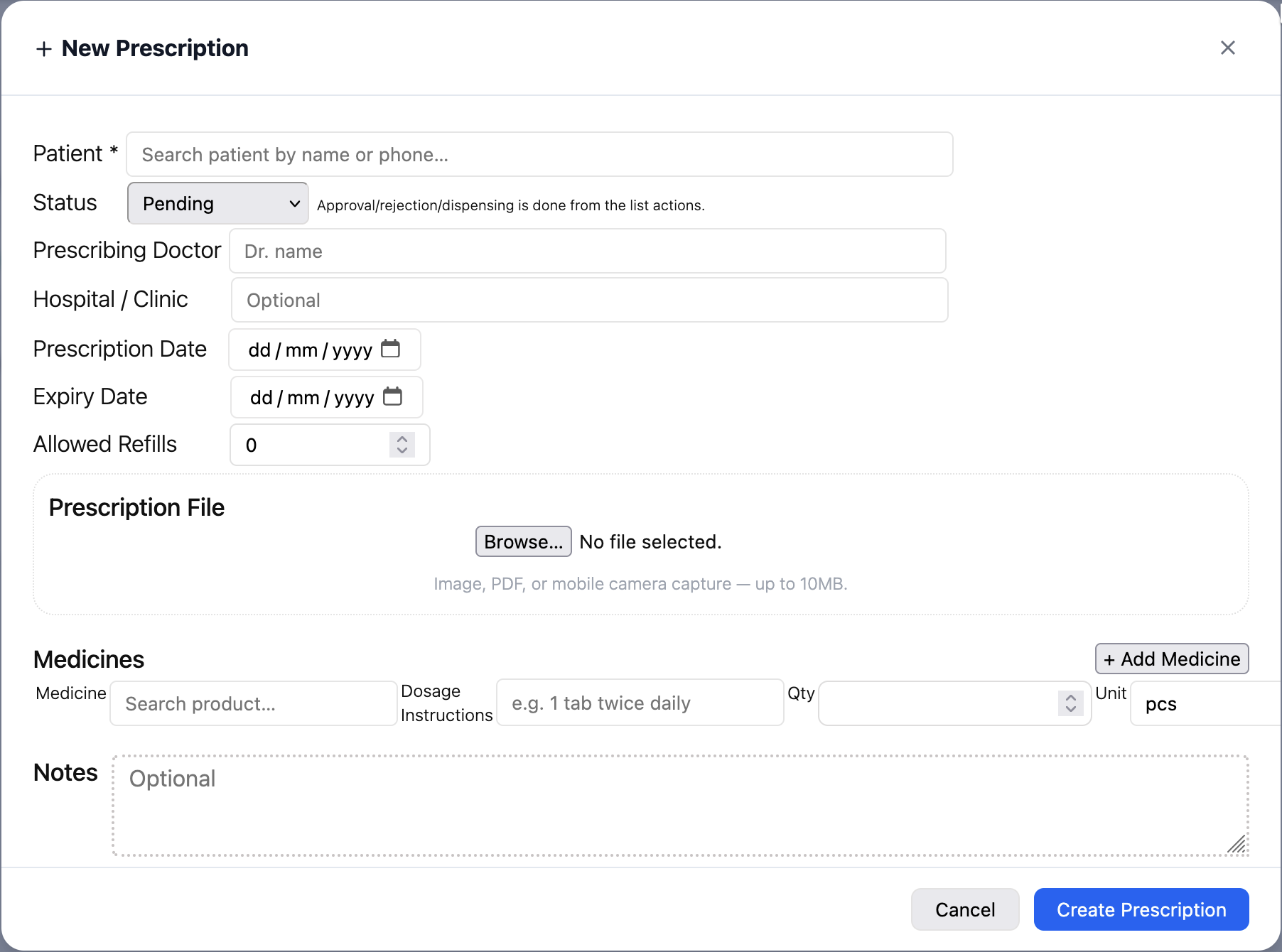
Prescription Management

Create, manage, and track prescriptions as part of your pharmacy workflow.

Controlled Drug Management

Maintain dedicated records and controls for controlled medicines, including stock movement, dispensing, adjustments, and transaction history.

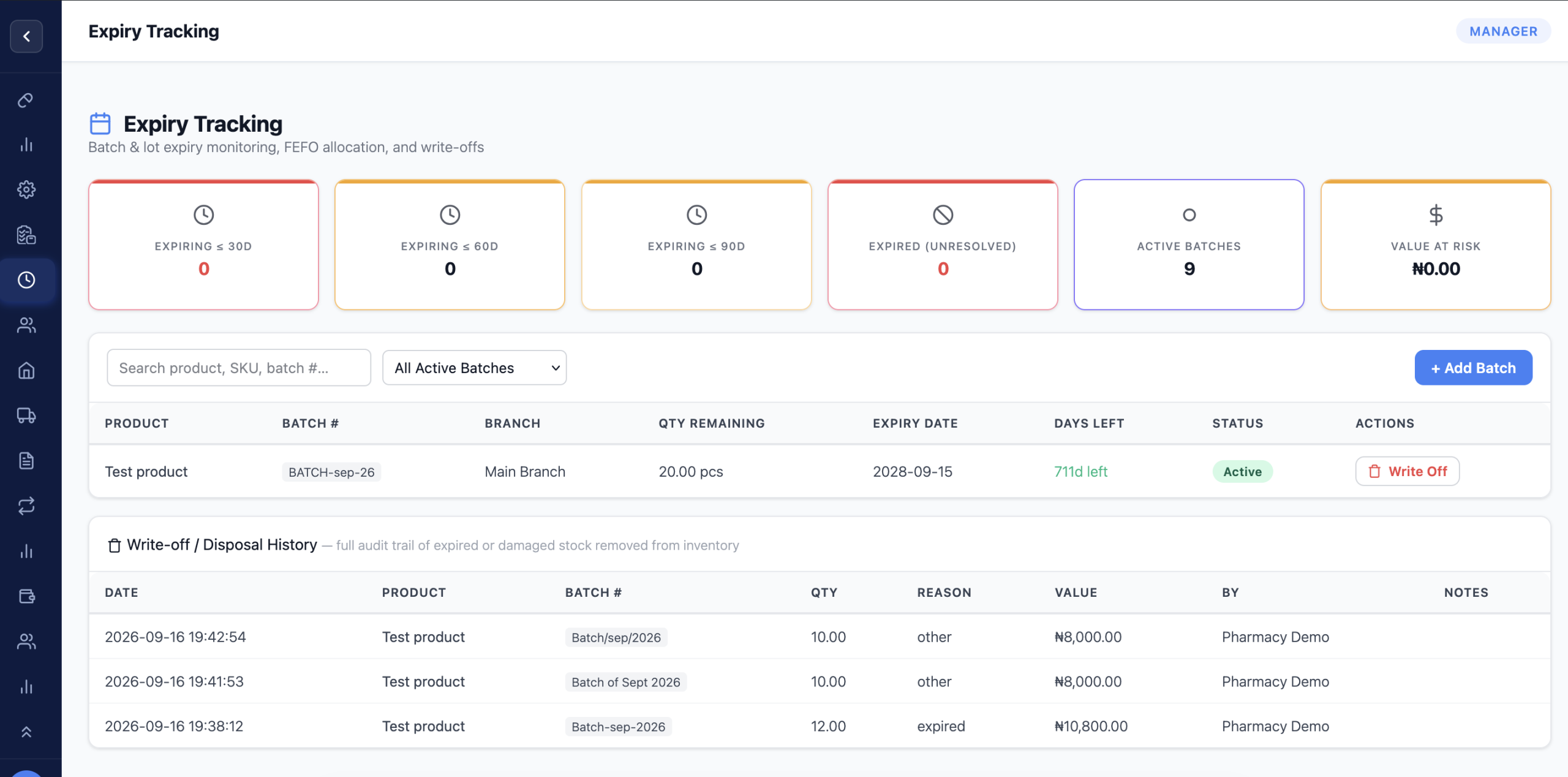
Batch & Expiry Tracking

Track medicines by batch and expiry date to help prevent expired products from being dispensed or sold.

Expiry Monitoring

Identify medicines approaching expiry and take appropriate action before they become a loss.

Pharmacy POS

Process pharmacy sales and dispensing transactions while automatically updating inventory.

Pharmacist Role & Permissions

Give pharmacists dedicated access to the pharmacy functions they need while restricting sensitive operations based on assigned permissions.

Customer & Patient Records

Maintain organized customer/patient information and relevant transaction history.

Plans & Pricing
PLANS & PRICING

Plans tailored to your business

Choose your business type and we’ll show you the plans, features and pricing that fit your needs.

No hidden
charges
Compare plans
before you subscribe
Cancel
anytime
View Plans & Pricing
See plans and pricing
in less than a minute.
Retail business owner at a point of sale
Grow Your
Business
Pharmacy
Ready
General retail store

Retail / General Store

Supermarkets, electronics, fashion, and general inventory businesses.

View Pricing
Pharmacy

Pharmacy

Pharmacies requiring inventory, POS, prescription, batch and expiry management.

View Pricing
Retail and pharmacy

Retail + Pharmacy

For businesses that need both retail and pharmacy functionality under one account.

View Pricing

FAQs

What is this Inventory & POS platform?

It is an all-in-one business management solution that helps you manage sales, inventory, products, customers, suppliers, expenses, and financial reports from one platform. It is designed to help businesses simplify daily operations, improve stock control, and make better business decisions.

The platform supports retail and general stores, supermarkets, electronics shops, fashion stores, pharmacies, and businesses that combine retail and pharmacy operations. Choose the business type that matches your operations during registration.

Yes. The platform includes branch management capabilities to help eligible businesses organize branch-level inventory, sales, staff access, and stock transfers. This makes it easier to oversee operations across multiple locations.

Yes. The pharmacy functionality supports relevant pharmacy operations, including prescription management, batch tracking, expiry-date monitoring, and pharmacy reporting, alongside core inventory and POS features.

Yes. The POS helps you process sales, look up products, calculate totals, and manage transactions. Supported checkout workflows and receipt options depend on the features and hardware configured for your installation.

Yes. Inventory tools help you monitor stock levels, product movements, and stock adjustments. Pharmacy operations can also use batch and expiry tracking where enabled, helping you identify products approaching their expiry dates.

Yes. You can maintain customer and supplier records and use the available credit-management tools to track outstanding balances, payments, and related transactions.

Yes. Reporting capabilities can help you review sales, revenue, inventory, expenses, credit balances, and profit-and-loss information. Available reports and export options depend on the modules implemented in your installation.

Yes. Role-based permissions help you assign responsibilities to staff members and control access to relevant functions. Branch assignments can also be used to organize staff access across locations.

The platform is designed to provide a straightforward business management experience through its dashboard and POS interface. Basic onboarding and familiarization with your business workflows will help your team get started.

The interface is designed to support responsive use across desktop computers, tablets, and smartphones. The suitability of a particular device for checkout or peripheral hardware depends on the device and its configuration.

Choose the business type that fits your operations, select an available subscription plan, complete your business registration, and follow the checkout process. Once your subscription is confirmed and your account is activated, you can sign in and configure your business.

Your subscription details will specify the features and services included in your selected plan. Review the current plan information before subscribing to confirm the applicable terms.

The platform is intended to support business checkout workflows using compatible POS equipment. Hardware compatibility can vary by device, operating system, browser, and connection method, so confirm compatibility before purchasing equipment.